Measurement Points
General
A wassermonitor measurement point consists of a raspberry pi (raspi), a stack of adapter cards to talk with sps-standard-sensors and the sensors with their setup themselves.
- The raspi is responsible for the following features:
- General
Read structure and sensor information from a configuration file
Talk with sensors and save measurement values in a local sqlite-file
Convert raw-value to calibrated value
Sign the stored measurement data with private key and send them to the server api
- Additional
Provide script for calibration file generation
Example
In this example we see the following setup.
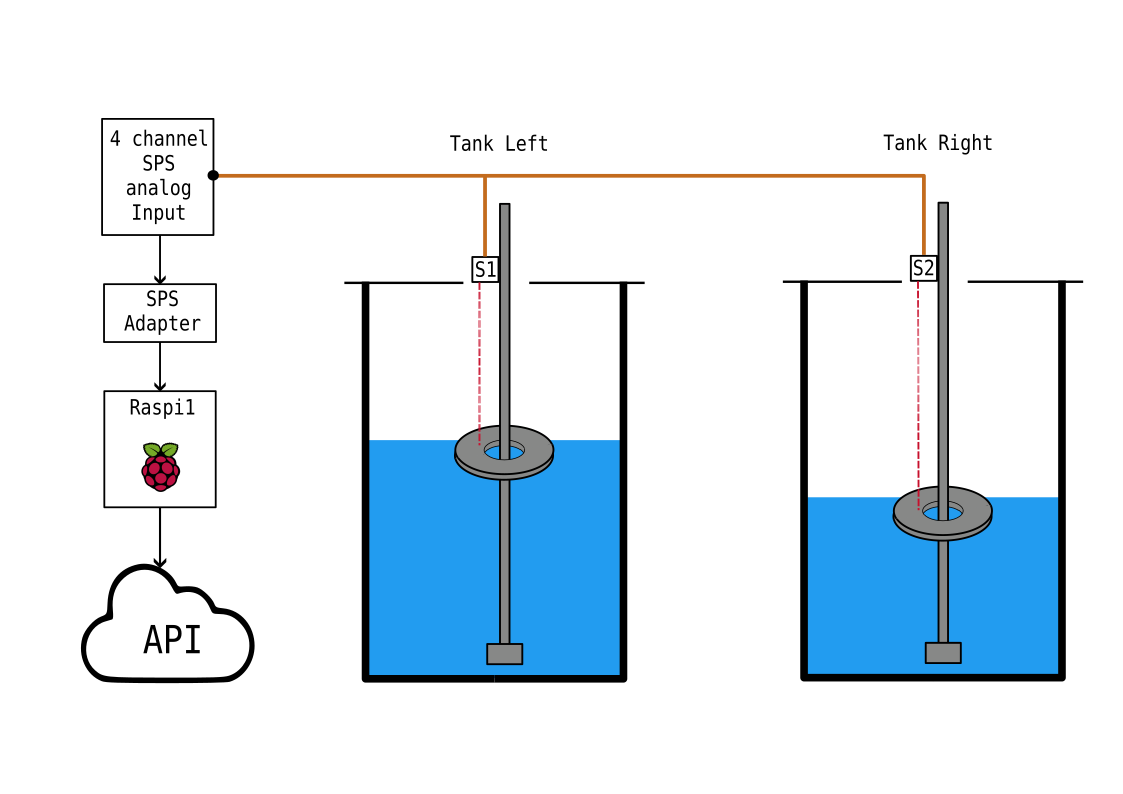
Typical measurement point setup with a single raspberry pi connected with two sensors via an sps-adapter-card-stack. With the current setup, four sensors can be connected to a single raspi.

Raspberry Pi Setup
At first, please follow this tutorial to setup the sd card for your raspberry pi.
After that please activate the i2c-bus on your device to enable communicating with the sensors:
sudo raspi-config
navigate to Interfacing-Options >> I2C
Would you like to ARM I2C interface to enabled? --> <Yes>
Hardware
What hardware do we need to build a wassermonitor measurement point?
Partlist
Raspberry Pi 4 (tested): https://www.raspberrypi.com/products/raspberry-pi-4-model-b/
- SPS Interface
- Sensors
- Optical
Wiring
Swimmer: see “Swimming Device”
- Ultrasonic
TBD
Part-assembly

The I2C Adapter for modifing the voltage levels and analog input card with four channels.
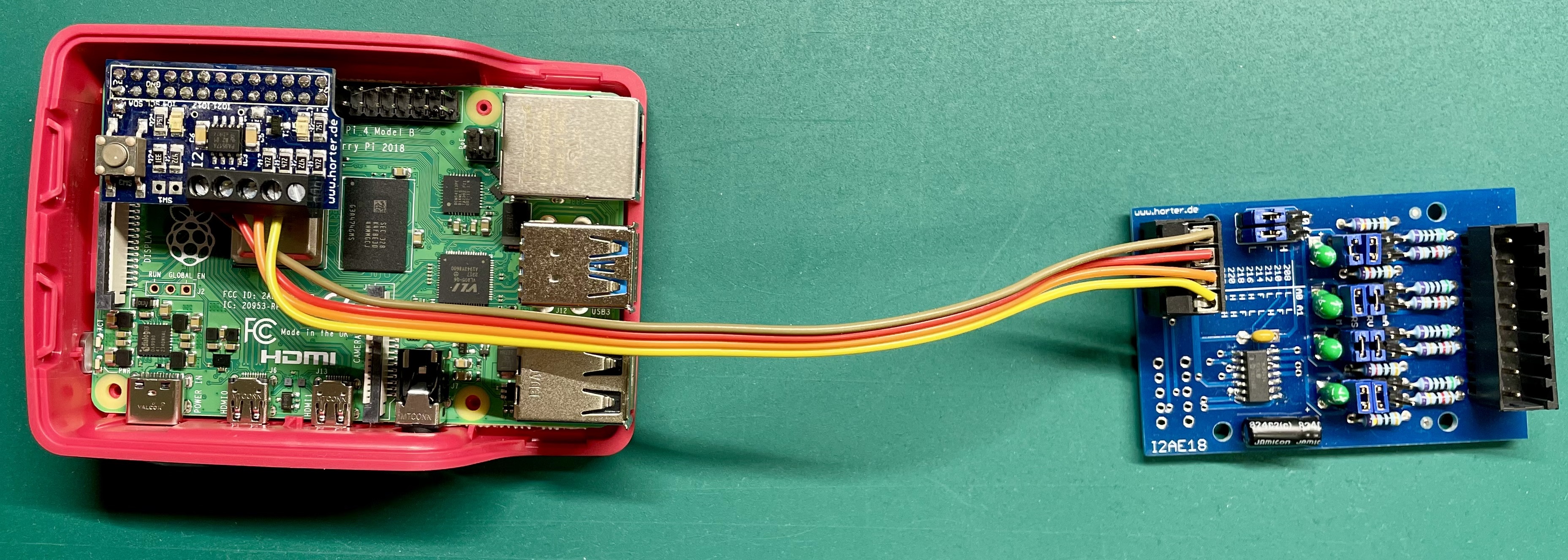
Raspi with connected sps adapter chain. This setup is ready to directly connect analog sps sensors.

Details pic of the analog input card with four analog channels. The jumpers in this pictures are placed to use the analog 0-10V sps interface of the sensors.
Software
This chapter gives a deeper insight into the part of Wassermonitor that runs on the raspberry pis of the distributed measuring points. The structure of this software is divided into two main parts, as can be seen in this figure:

This is the floorplan of the pi module.
As one can see, the software on the raspis consists of two main parts, the datascrawler on the one hand and the transmitter part on the other hand. Both of the software parts are configured by the same configuration JSON in the config.json-file
{

"name": "raspi1",                               // name of the measurement point
"api_url": "http://127.0.0.1:8012",             // api of the url
"token": "secret_token",                        // secret token for api authentification (optional)
"psk_path": ".psk",                             // directory where priv and pub-key for data signing are located (generate_key_pair.py)
"temp_storage_path": "/tmp/wassermonitor",      // directory where measurement data is stored until transmitting
"count_of_vals_per_meas": 5,                    // Sensor values per measurement (with 1s sleep time)
"meas_interval": 60,                            // Sleep time during measurements
"sensors": [                                    // List of sensors connected (max. 4)
    {
        "name": "left_tank",                    // sensor name
        "type": "IFM_O1",                       // sensor type
        "tank_height": 155,                     // zero offset of the sensor
        "max_val": 135,                         // maximum value
        "warn": 90,                             // warning threshold
        "alarm": 70,                            // alarm threshold
        "calib_file": "calib/calib_date_sensor_3.csv",  // location of calibration file
        "i2c": {                                // i2c communication details
            "addr": "0x68",
            "name": "0",
            "id": "13",
            "StBy": 128
        }
    },
]
}
Datascrawler
The datascrawler part of the raspi-software should be installed as a systemd-daemon.
Datatransmitter
At the moment, the transmitter is designed to be run by a cron job, but it should be rebuilt to ran as a systemd-daemon as well.